Why a Verified Camera Models Database Matters for CCTV Planning
When I started designing CCTV systems for small businesses, I quickly learned that a camera model listed on paper is not the same as a camera model you can actually buy, configure, and trust to work. Spec sheets from manufacturers look clean, but real-world availability, firmware quirks, and compatibility gaps can turn a straightforward plan into a headache. That is where a properly maintained, verified camera models database becomes something you lean on, not just a nice-to-have.
Over the years I have worked with Hikvision, Dahua Technology, and Axis Communications gear on dozens of projects. Each brand has its own ecosystem, its own way of handling ONVIF compliance, and its own quirks. A verified camera models database helps you avoid the trap of picking a model that looks perfect on paper but fails to integrate with your chosen NVR or video management system. I have seen projects stall because someone assumed a camera supported H.265 at a certain resolution and frame rate, only to find out the firmware never delivered that feature. A good database catches those mismatches before you order hardware.
What Makes a Camera Database "Verified"
Not every list of cameras is useful. A verified camera models database is one where someone has actually tested or confirmed the specifications, compatibility, and current availability of each model. It is not a scrape from a distributor site or a PDF that is three years old. It is a living set of data that reflects what really works in the field.
For example, I once specified a mid-range IP camera from a well-known brand because the datasheet claimed wide dynamic range and excellent night vision. When I went to configure it with the client's existing DVR, the DVR firmware did not support that camera's stream format at the advertised resolution. The project required an extra PoE switch and a firmware update on the NVR, which pushed the budget. If I had checked a reliable database first, I would have seen the compatibility note and chosen a different model. That experience taught me to treat any unverified spec with skepticism.
A verified database typically includes details like ONVIF profile support, actual tested resolution, frame rate at different settings, field of view with different camera lens options, and known issues with motion detection or H.265 encoding. It might also flag models that are end-of-life or hard to source. For someone designing a system with CCTVplanner, having that data baked into the design tool means you are not cross-referencing spreadsheets and manufacturer pages while you work.
Why Compatibility Still Catches People Out
The surveillance industry has improved interoperability over the past decade, but it is far from seamless. ONVIF was supposed to make every IP camera work with every NVR, and it helps, but it is not a guarantee. I have seen Axis cameras that refuse to stream full resolution to a third-party video management system unless you tweak the profile settings. I have seen Hikvision cameras that require a specific firmware version to enable motion detection alerts over RTSP. These are not rare edge cases; they are everyday realities.
A verified camera models database captures these nuances. It tells you that a certain Dahua Technology model works flawlessly with a specific NVR brand but has intermittent audio sync issues with another. It notes that a particular analog camera needs a specific DVR channel setting to achieve its rated night vision distance. Without that layer of detail, you are guessing. And in security system design, guessing means rework, extra costs, or worse - a system that does not cover the critical field of view you planned.
I once designed a system for a warehouse that needed wide dynamic range cameras to handle bright loading dock doors and dark interior storage areas. The camera I chose had great WDR specs on paper, but in practice the WDR performance dropped significantly at the frame rate the client required for license plate capture. A verified database would have flagged that trade-off. Instead, I learned it on site and had to swap out three units.
How a Database Keeps Design Tools Honest
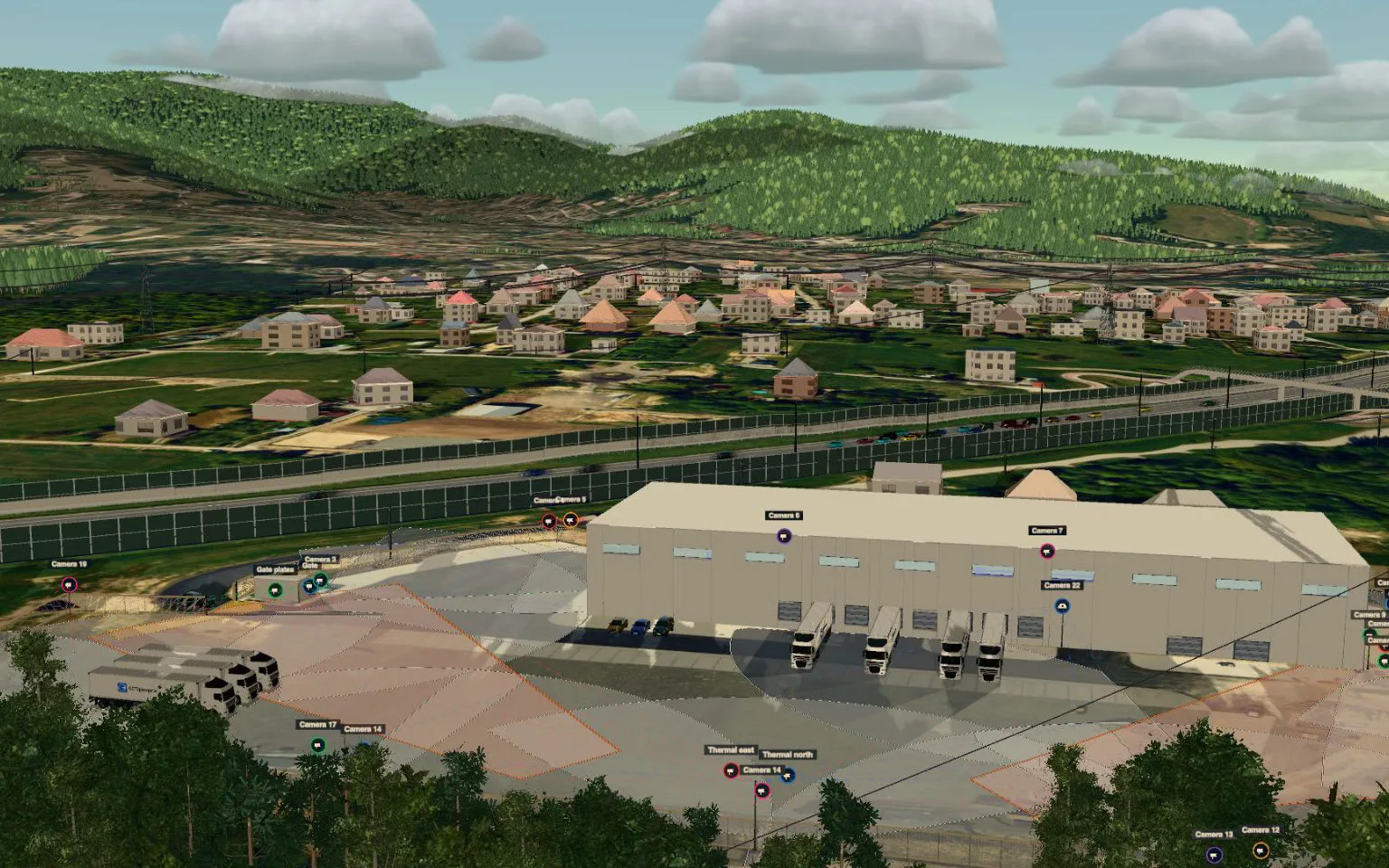
Tools like CCTVplanner let you place cameras on a floor plan, estimate coverage, and generate client offers. But the quality of that output depends on the data underneath. If the tool uses a generic camera profile, your field of view calculations might be off by ten or twenty percent. If it does not know the real resolution limits of a model, your storage estimates for the NVR will be wrong.
That is why a verified camera models database is so important in the planning stage. It feeds accurate specifications into the design, so the PoE switch capacity, the NVR channel count, and the bandwidth for the video management system all line up with reality. You can trust that the system you design on screen will work when you install it. For a professional installer, that trust saves time and protects your reputation.

It also helps when you need to produce a client offer. If the database includes current pricing and availability, you can generate a quote that is actually valid. I have lost jobs because my quote used an older model that was backordered, and the client went with someone who had accurate stock data. A verified database that is updated regularly prevents that kind of miss.
Practical Considerations When Choosing a Database
Not all verified camera models databases are equal. Here are a few things I look for:
- How often is it updated? A database that is refreshed quarterly might miss new models or discontinued ones. Monthly or real-time updates are better.
- Does it include ONVIF profile details? Profile G, Profile T, and Profile Q matter for integration. A database that lists them saves you a compatibility check.
- Are there notes from actual installers? Field experience is gold. A database that includes user-submitted feedback about setup quirks or firmware bugs is more useful than one with only manufacturer specs.
- Does it cover both IP and analog cameras? Many sites still use analog or HD-over-Coax systems, and a database that only lists IP cameras leaves a gap.
- Is it searchable by features like resolution, lens type, or WDR? That makes it a design tool, not just a reference list.
When I am evaluating a design platform, I always check what camera data it uses. If the answer is vague or the data comes from a single distributor feed, I am cautious. A platform that maintains its own verified database, or partners with one, is usually more reliable.
The Role of Verified Data in Modern Surveillance Design
Surveillance systems are getting more complex. Higher resolutions, H.265 compression, edge-based analytics, and integration with access control systems all put pressure on accurate planning. A verified camera models database is not just a catalog; it is a risk management tool. It reduces the chance that you will specify a camera that cannot deliver the night vision you need, or that will overload your PoE switch, or that will not work with the client's chosen NVR.
I remember a project where the client insisted on a specific Axis Communications model because of its low-light performance. The database showed that model required a PoE+ switch, not standard PoE, and that its frame rate dropped at 4K resolution unless you used a certain firmware version. That information let me plan the network infrastructure correctly from the start. The installation went smoothly, and the client was happy because the system performed exactly as designed.
Without that verified data, I would have guessed. And in security, guessing is not acceptable.
If you are designing CCTV systems, whether for a small retail shop or a large warehouse, make sure the tools you use are backed by real, tested information. A verified camera models database is the foundation that turns a good design into a working installation. It saves you from surprises, protects your margins, and builds trust with your clients.